
Make the first contact easier
Offer useful initial answers and intentional routing for sales and service questions.

A dealership is never standing still. A customer calls about a vehicle, another needs to schedule service, and a technician is asking for an update from parts. ELEVATE brings business calling, mobile communication and suitable AI tools together so inquiries can reach the right team and conversations are easier to follow through. CloudBusinessPhone.com helps you choose the workflows that fit your dealership, implement them carefully, and refine them over time.
Explore Contact Center Tools →
More than 30 years of business-telephone experience among our leadership, with firsthand customer-service and contact-center operations experience.
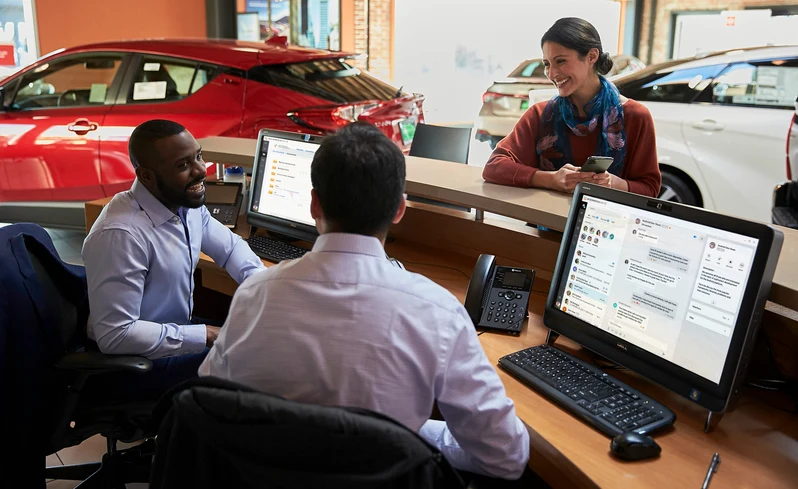
Prospective buyers don't want to chase salespeople. Service customers want a straightforward way to ask about scheduling, recalls or vehicle status. Parts teams need answers from colleagues, suppliers and technicians. When the phone system, texting, customer records and follow-up practices don't work together, small communication gaps can become very visible to the customer.
Rather than assuming every dealership needs a new phone system, CloudBusinessPhone.com begins with your actual customer journey: which calls come in, where they belong, how people take over, what should be recorded, and where AI can help without creating new confusion.
Offer useful initial answers and intentional routing for sales and service questions.
Connect the service lane, showroom, parts counter and management through suitable business calling and mobile tools.
Review eligible call history, summaries and supported CRM/DMS connections for better follow-up.
Give managers a clearer view of service queues and interactions where Contact Center tools are enabled.
Sound Like a Coordinated Team, Even When Everyone Is Busy.
A small dealership may have people moving between the showroom, the lot and customer appointments all day. Call routing, professional business numbers and optional AI assistance can help customers reach the right resource without tying one employee to a front desk.
Where to start: ELEVATE cloud business calling, mobile experience, configured auto attendant/hunt groups, and AI Receptionist where eligible.
Explore Single-Store Options →Give Your Service Lane More Room to Serve.
Service advisers are often answering phones while customers wait at the counter. Explore handling routine questions through an approved AI Receptionist knowledge base, routing more involved requests to people, and coordinating appointment reminders or callbacks through eligible tools.
Where to start: AI Receptionist, appropriate booking workflow, queues/Contact Center options, business SMS and AI Call Recap where licensed.
Improve Service Call Handling →Make Every Rooftop Easier to Reach and Manage.
Multiple stores, shared BDC resources and changing sales/service volume call for consistent routing, clear ownership of inquiries and management visibility. Assess centralized calling, contact-center tools, staff assistance, reporting and supported CRM/DMS data flow.
Where to start: ELEVATE UC plus Contact Center, AI Agent Assist, AI Supervisor Assist and approved integrations where eligible.
Discuss Multi-Rooftop Communications →
A buyer calls about a vehicle or a driver calls regarding service availability.

An approved AI Receptionist configuration answers basic questions or connects the caller with the right team.

Sales, BDC or a service adviser handles the specific request, using eligible call context and internal knowledge tools where available.

The employee completes the next action; a compatible appointment system, notification workflow or appropriate call recap may help the process.

If suitable Contact Center features are deployed, supervisors can review relevant interactions, queue data and coaching opportunities.
A hypothetical workflow illustrating possible separately licensed features:
Click through a hands-on demo of business calling working alongside a dealership management system.
Hover or tap a card to see how ELEVATE can help.
Help the Next Interested Buyer Reach the Right Person.
A shopper may call between errands with a quick availability question or after seeing a listing online. Your team needs a straightforward first response and a reliable path to someone who can confirm the details. ELEVATE calling and routing options can help direct inquiries according to your staffing and operating hours. A supported AI Receptionist experience may handle approved general questions before a sales associate or BDC representative takes over.
Value: More organized lead handling and less reliance on individual staff remembering a missed voicemail.
Tools to explore: Business Voice, routing/hunt groups, AI Receptionist; Contact Center if call volume justifies it.
Explore Sales Call Routing →Let Service Advisors Focus on the Customer in Front of Them.
Customers call with routine questions about service hours, scheduling, drop-off procedures, recalls and how to reach an adviser. CloudBusinessPhone.com helps define which questions can receive an approved automated answer, which should transfer immediately, and how appointment requests should enter your real scheduling process. Direct calendar booking is available through a supported integration, but your dealership's DMS/service scheduler, ELEVATE environment and call path must be tested before promising automatic write-back.
Value: A clearer path to scheduling and fewer avoidable interruptions at the service desk.
Tools to explore: AI Receptionist, configured transfers, eligible scheduling integration, SMS/notifications, optionally Contact Center.
Discuss Service Scheduling Workflows →Bring the Parts Counter, Shop and Service Desk into the Same Conversation.
A technician needs to confirm whether a part is available. A caller wants an update on an order. A service adviser needs to find the right person while moving around the property. ELEVATE business calling, mobile communications and selected team messaging tools can make those connections easier without tying the team to one desk phone.
Value: Less friction between departments and a more consistent customer-facing response.
Tools to explore: Cloud Business Phones, mobile/desktop applications, internal messaging, defined call groups.
Connect Your Parts and Service Teams →Help Employees Pick Up Where the Conversation Left Off.
When a prospective buyer calls again, they should not have to reconstruct every prior conversation. Depending on your approved system configuration, ELEVATE call activity, eligible AI Call Recap, and supported CRM/DMS integration can help staff see useful context and reduce manual entry. The quality and availability of that context depend on record matching, permissions, recording practices and the systems in use.
Value: Better continuity for human representatives and more deliberate follow-up.
Tools to explore: Business Voice, appropriate recording/archiving, AI Call Recap, supported screen pop/call logging and CRM/DMS connectors.
Review Your CRM and Call Workflows →Support the Team Taking the Calls—and the Managers Helping Them.
For a dealership with a staffed BDC or high-volume service queue, giving people timely information can be as valuable as automating the first response. Eligible AI Agent Assist capabilities support a human representative during an interaction; AI Supervisor Assist can surface eligible call context and signals to a human manager. These tools may require Contact Center subscriptions, release eligibility, recording permissions and staff policies.
Value: More informed service conversations and more useful coaching opportunities.
Tools to explore: Contact Center, AI Agent Assist, AI Supervisor Assist, available evaluation/interaction insights.
Explore AI for Your BDC or Service Team →One Customer Experience, Even When You Operate More Than One Location.
Dealer groups need a way to route calls, train new staff, manage numbers and deliver consistent communications without assuming every location has the same staffing model. CloudBusinessPhone.com can help design the operating rules, assess ELEVATE platform options and plan a staged introduction of AI where it adds real value.
Value: More consistent workflows, coordination and information access between locations.
Tools to explore: ELEVATE Cloud Business Phones, shared collaboration tools, Contact Center and approved optional modules.
Discuss a Multi-Location Plan →| Solution | Plain-language role | Most relevant dealerships | Fit considerations |
|---|---|---|---|
| ELEVATE AI Receptionist | Gives incoming callers a conversational first response using approved information and defined routing | Reception, service scheduling, after-hours questions | Eligible environment, configured FAQs, transfers, booking integration where appropriate |
| ELEVATE Cloud Business Phones | Supports business calling and mobile/desktop communication | Any dealership modernizing calling or mobility | Phones, numbers, network, emergency calling and migration planning |
| ELEVATE Contact Center | Organizes more complex queues and customer-service interactions | Busy service/parts queues, BDC, multi-rooftop groups | Queue design, staff workflow, channels and subscription |
| AI Agent Assist | Helps a human agent during customer conversations | Staffed BDC/service teams | Eligibility, knowledge source, scope, language and permissions |
| AI Supervisor Assist | Helps a human supervisor understand appropriate live interactions | BDC/contact-center supervisors | Release, license, recording/consent, governance |
| AI Call Recap | Helps staff review eligible recorded calls | Sales follow-up, service questions, disputes | Recording and archiving enablement, rights and employee review |
| Supported CRM/DMS connections | Can associate supported calls with customer context and records | Operations dependent on their DMS or CRM | Verify exact integration and write-back/screen-pop scope before promising |
A dealership's sales opportunities, service scheduling and customer follow-up depend on real people and repeatable practices. Our team brings leadership experience in designing and supporting business phone systems for more than 30 years, operating customer-service and technical-support call centers, and helping organizations approach AI as a practical business tool.
Our customer promise is honest guidance that consults and solves, not sells. That means we help you understand the calls you receive, identify what AI should handle, design routing and escalation, evaluate compatibility with current equipment and connected systems, test the workflow, train employees and consider continued improvements within the scope of the services you choose.
You may be able to explore an AI Receptionist call path while retaining compatible existing phones. Full ELEVATE cloud migration is another option, not a mandatory first step. Confirm technical and commercial fit for each installation.
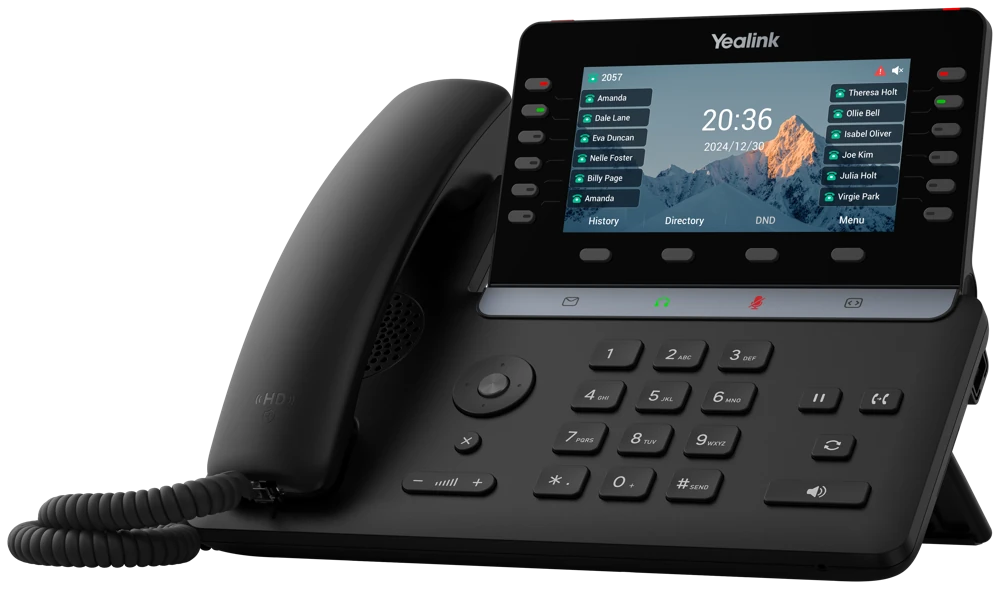
 Use Cases \u00b7 PDF
Downloadable use case and practical resource: Use Case - Auto Dealer.
Read the use cases Checklist \u00b7 PDF · free download
Downloadable checklist and practical resource: Checklist - Auto Dealer.

Learn your goals, team, and current communications setup.
Confirm the right ELEVATE approach for your business.

Plan your call flows, AI support, and team experience.

Set up, configure, and get everything ready to go live.

Train your team and help everyone get comfortable quickly.

Review results, make adjustments, and keep optimizing for better outcomes.

Whether your biggest challenge is a service desk buried in phone calls, a BDC struggling to reach customers, or multiple locations trying to standardize communication, we can review the opportunities and explain where ELEVATE might fit.
AI Receptionist and eligible Contact Center routing can help distinguish service scheduling from parts questions, repair-status inquiries, or sales calls. A configured receptionist may answer routine questions and support approved scheduling workflows. We would map the service-lane call flow first, including what happens when a service adviser is unavailable and which booking system, if any, can be integrated.
A good call flow should allow callers to describe what they need rather than repeatedly selecting menu numbers. Calls can then be directed to the intended sales, service, parts, or administrative destination within the supported routing configuration. We test those handoffs, especially after hours and during peak service times, before deploying the main number.
Supported integrations vary by platform and workflow. ELEVATE integration materials discuss call context and logging for selected automotive CRM/DMS environments, but that does not mean every dealer-management product has the same connection. Tell us which DMS and CRM you use and whether you need screen-pop, completed-call logging, click-to-call, or appointment handling. We verify the exact connector before quoting it.
Eligible mobile apps let staff make and receive business calls away from their desk, while keeping the public-facing identity of the dealership. They still need a suitable device and connection. The dealership decides who receives calls and what happens when that salesperson is already with a customer.
A dealership is never standing still. A customer calls about a vehicle, another needs to schedule service, and a technician is asking for an update from parts. ELEVATE brings business calling, mobile communication and suitable AI tools together so inquiries can reach the right team and conversations are easier to follow through. CloudBusinessPhone.com helps you choose the workflows that fit your dealership, implement them carefully, and refine them over time.
Related topics: Sales Calls and First-Time Inquiries, Service Scheduling and Customer Updates, Parts, Technicians and Internal Coordination, BDC Follow-Up and Customer Context