Put AI to Work Where Customer Conversations Happen.
Every business conversation creates work — answering a routine question, finding the right person, taking notes, checking information or following up. ELEVATE brings AI options into business communications to help with those tasks. Some AI tools talk directly with callers while others assist your employees and supervisors. CloudBusinessPhone.com helps you choose the right ones, design a practical workflow and keep the human experience at the center.
Your business phone should just work. Now it can do more.
What If Every Call Left Your Team Better Prepared?
It’s peak call time! A customer calls while employees are helping someone else. Another conversation ends, and the service representative has notes to finish. A manager needs to know which interactions require attention before a minor problem becomes a larger one. Who can help?
These are different tasks and ELEVATE provides a range of communications and AI capabilities that can be combined when they fit your workflow. We help businesses distinguish what can be automated, what should be assisted and what needs human judgment.
AI can answer
A configured AI Receptionist can handle suitable first-contact inquiries and route others.
AI can assist
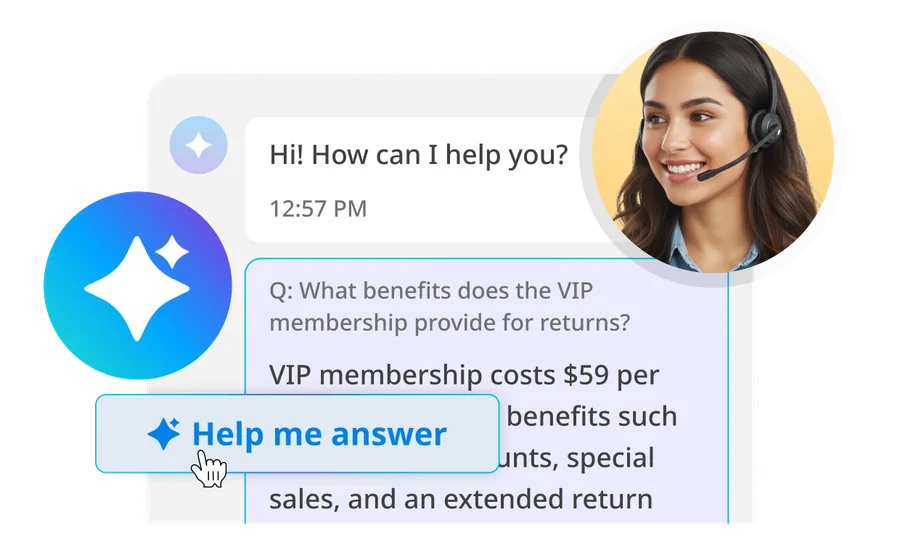
Eligible AI recap and Agent Assist tools provide context and reduce manual information work for human staff.
AI can inform
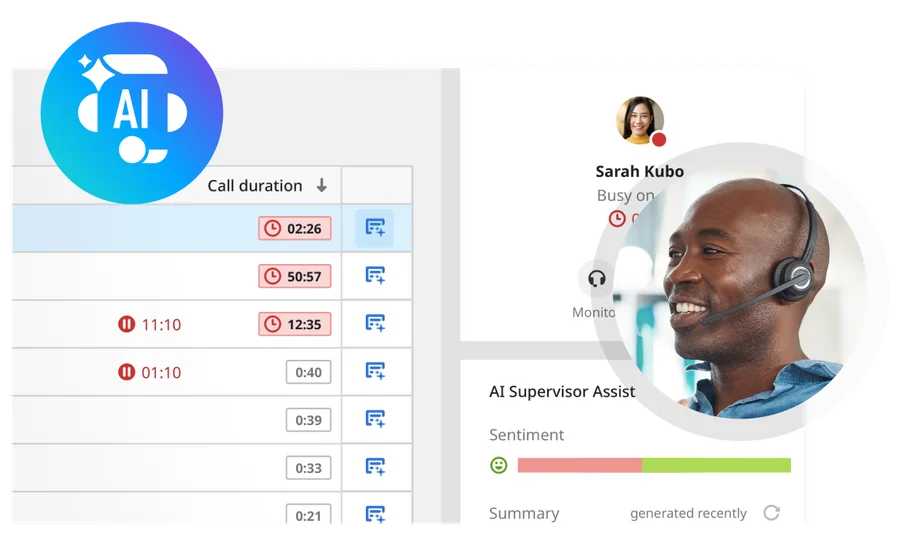
Supervisor and quality tools can highlight conversations for human review and coaching.
Product scope, plan eligibility, permissions and integrations differ by capability. We help establish which tools fit your operating environment.
Where Would You Like to Start?
The Business Owner: Answer More Routine Questions
Situation: Calls arrive while the owner or employee is with a customer, on the road or away from the office.
Useful first step: Explore AI Receptionist and the right human backup rules.
A customer calls about business hours or needs to reach a particular team. A configured AI Receptionist can answer eligible routine questions and direct the caller to a human where needed.
2 AI assists an employee
A service representative is handling a conversation. Applicable Agent Assist tools can offer relevant information, suggestions or conversation context while the employee remains responsible for the response.
3 AI informs a supervisor
A supervisor reviews a live service operation and identifies conversations that may warrant attention or coaching. Supported tools help organize this information; people make supervisory decisions.
Try the ELEVATE AI Assistants
Click through an interactive demonstration of ELEVATE AI assistants at work.
Challenge: Employees are already helping customers when the phone rings.
See the capability →
Capability
ELEVATE AI Receptionist uses configured business details and FAQs to handle suitable inbound questions, with routing and human fallback.
Give callers a helpful next step even when the right employee isn’t free to answer immediately.
02
Make Routine Call Notes Easier to Review
Challenge: A customer call ends but the documentation and follow-up have not.
See the capability →
Capability
AI Call Recap can generate transcripts, summaries and topical information for eligible recorded calls where the necessary service, permissions and archiving settings are enabled.
Help employees review a conversation and prepare a follow-up without reconstructing every detail from memory.
03
Make Meeting Follow-Up More Manageable
Challenge: Employees need to remember the decision and action items, but everyone is busy participating in a meeting.
See the capability →
Capability
AI Meeting Recap can provide summaries and next-step context for supported recorded or captured meetings.
Help participants return to decisions rather than re-creating the discussion afterward.
04
Give Human Agents Useful Answers While They Work
Challenge: Service representatives switch between a customer conversation and disconnected knowledge resources.
See the capability →
Capability
AI Agent Assist can provide suggestions and relevant knowledge during supported contact center interactions.
Support employees with information at the moment it can help them serve a customer.
05
Help Supervisors Recognize Conversations Worth Reviewing
Challenge: Managers have limited time to monitor service quality and intervene appropriately.
See the capability →
Capability
Eligible AI Supervisor Assist tools provide real-time conversation context and signals; related Evaluator functions can support structured after-call review where licensed.
Give managers a clearer view of where coaching or a closer look may be useful.
06
Choose AI Without Automatically Replacing Your Phones
Challenge: A business owner wants AI but is satisfied with the current telephony arrangement.
See the capability →
Capability
Assess whether a supported call-handling design can bring AI into the current environment or whether ELEVATE cloud business calling provides a more appropriate foundation.
Start with the outcome you want, not a forced technology migration.
You Don’t Need Every AI Tool to Begin.
Path 1: Start with first-contact answering
If repetitive incoming questions are distracting your team, begin by mapping those calls and designing a helpful AI Receptionist experience with human escalation.
Path 3: Modernize the whole communications experience
If business calling, mobility, meetings and collaboration are becoming hard to manage, assess the ELEVATE cloud platform with AI additions that justify their cost and complexity.
All three are valid paths. CloudBusinessPhone.com helps select the best-fit combination, including the option of retaining compatible current telephony where a supported integration is available.
The Right AI Starts With an Honest Conversation.
Our leadership team brings more than 30 years of experience designing and supporting business phone systems, plus firsthand experience operating customer-service and technical-support centers. We know that the most important technology decisions happen where customer expectations, employee work and day-to-day operations meet.
Our promise is honest guidance that consults and solves, not sells. We don’t begin by assuming you need a new phone system—or every AI feature in a vendor presentation. We begin with the types of calls your business actually receives, the problems your team needs help with and the limits that make human involvement essential.
The right result may be a focused AI Receptionist workflow, a supported employee-assistance capability, an ELEVATE cloud migration or the decision to wait on a feature that isn’t ready for your needs. Our role is to make the choice understandable, help with implementation where contracted and remain a source of practical guidance as needs evolve.
Find the AI Capabilities Worth Using in Your Business.
You don’t have to know the product names—or replace your telephone system—before we talk. Tell us what customers ask, where your team spends time and where conversations tend to get stuck. We’ll explain the options, demonstrate appropriate ELEVATE features and recommend a practical place to begin.
Can ELEVATE AI handle calls without making customers use a phone menu?
ELEVATE AI Receptionist lets callers describe their reason for calling in everyday language. The receptionist can use approved business information to answer a routine question or determine where the call needs to go. The experience is still designed: we define what the AI may discuss, which requests should reach an employee, and what happens when no one is available. That is different from claiming it can resolve every request independently.
What is the difference between AI answering a call and AI helping an employee?
AI Receptionist deals directly with incoming callers. AI Agent Assist provides eligible support to a human Contact Center representative during a conversation. Supervisor Assist and related review tools help managers understand and evaluate interactions. These are different products serving different jobs, with separate licensing and configuration considerations; one purchase does not automatically include the others.
Do we need to move every employee to a new phone system before trying Voice AI?
No universal migration is required for an initial conversation. AI Receptionist can be evaluated for many existing premises-based systems if the carrier, routing, and integration approach are compatible. Other AI capabilities depend more closely on the ELEVATE Contact Center environment. Sixth City should assess the current system and the desired use case before promising a standalone deployment.
What information do we provide to set up an AI Receptionist?
Start with business hours, locations, frequently asked questions, service descriptions, call destinations, and the circumstances when a human should take over. If appointment scheduling is part of the plan, identify the booking process and calendar or scheduling system. We use that material to define allowed responses, test difficult questions, and agree on escalation before launch.
What happens when the AI misunderstands a caller?
A good implementation has a recovery path. The AI should be able to ask for clarification within its configured behavior, then transfer or direct the caller to an employee or agreed fallback rather than guessing about sensitive matters. During testing, we include unclear requests, names, noisy calls, after-hours scenarios, and situations where no one answers the transfer.
In brief
What is ELEVATE AI?
ELEVATE AI brings AI options into business communications: tools that answer callers, assist employees and inform supervisors. CloudBusinessPhone.com helps businesses choose the right tools, design a practical workflow and keep people at the center.
AI Receptionist can handle suitable first-contact calls and route the rest to a person.
Agent Assist and recap tools give employees context and reduce manual note-taking.
Supervisor and quality tools highlight conversations for human review and coaching.
Availability depends on the capability, plan, permissions and integrations.
Related questions:
Can ELEVATE AI handle calls without making customers use a phone menu?
What is the difference between AI answering a call and AI helping an employee?
Do we need to move every employee to a new phone system before trying Voice AI?
Related topics: ELEVATE AI, AI Receptionist, Agent Assist, Supervisor tools